
I have recently setup VLANs on my home network. After getting all the rules worked out to allow and deny access where needed I was unable to get my Brother MFC printer to print, even with a rule allowing mobile devices on the GuestVLAN access to the printer IP address. After some research I stumbled upon this post that referenced mDNS or Multicast DNS. This is how some printers advertise themselves on the network and is needed for the iOS Brother app to function. I run pfSense as my firewall and there is a built-in package that can facilitate this reflection.
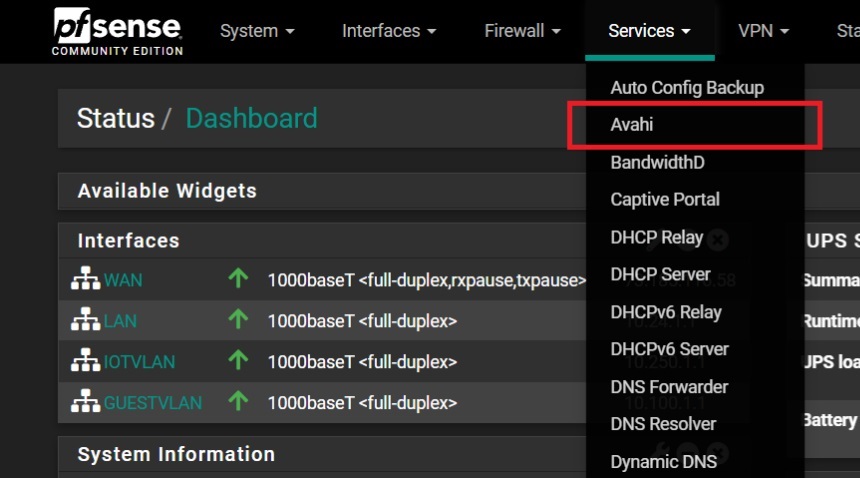
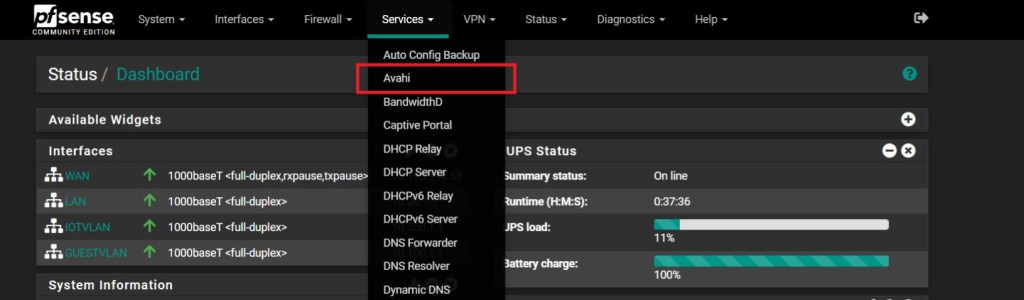
First I installed the Avahi package. Then I selected “Avahi” from the services tab.
I enabled the service:
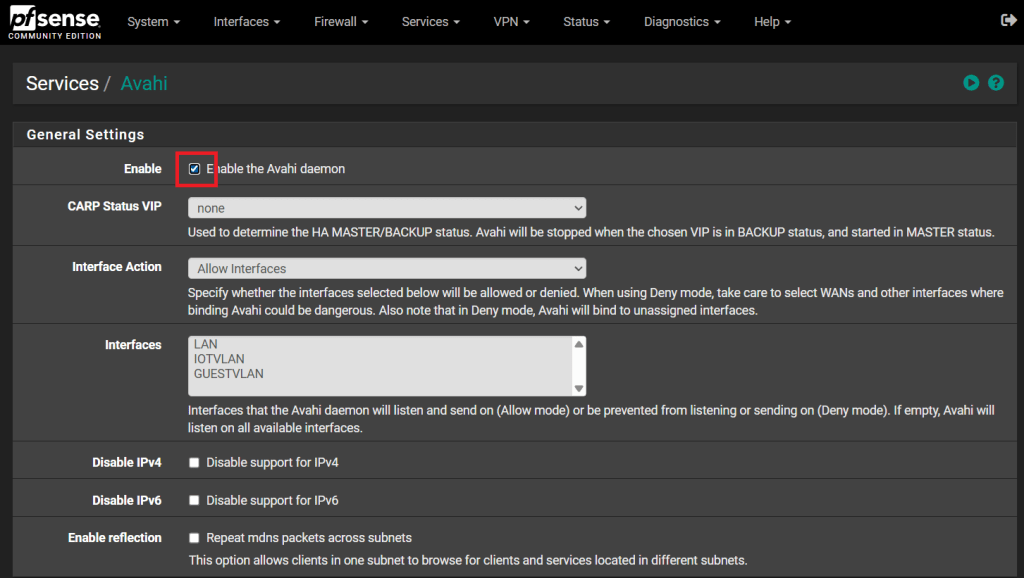
Select the interfaces the service will listen on the network where the printer resides (LAN) and the print client (GuestVLAN):

I Enabled Reflection

I opened the Advanced Tab

Add the domain name you setup in the [General] tab to the [Domain Override] box. I made this change because of the advice on a reddit post here. Some users reported that the setup worked with the default or .local. Other users reported intermittent issues until this was updated with the actual domain. I chose to just add it off the hit.

On the advice of google search AI (I know) I also had to allow the “Allow IP Options” section in the pass rule on the GuestVLAN Interface to the Printer. This advice was backed up by a post on Lawrence System’s Forums.
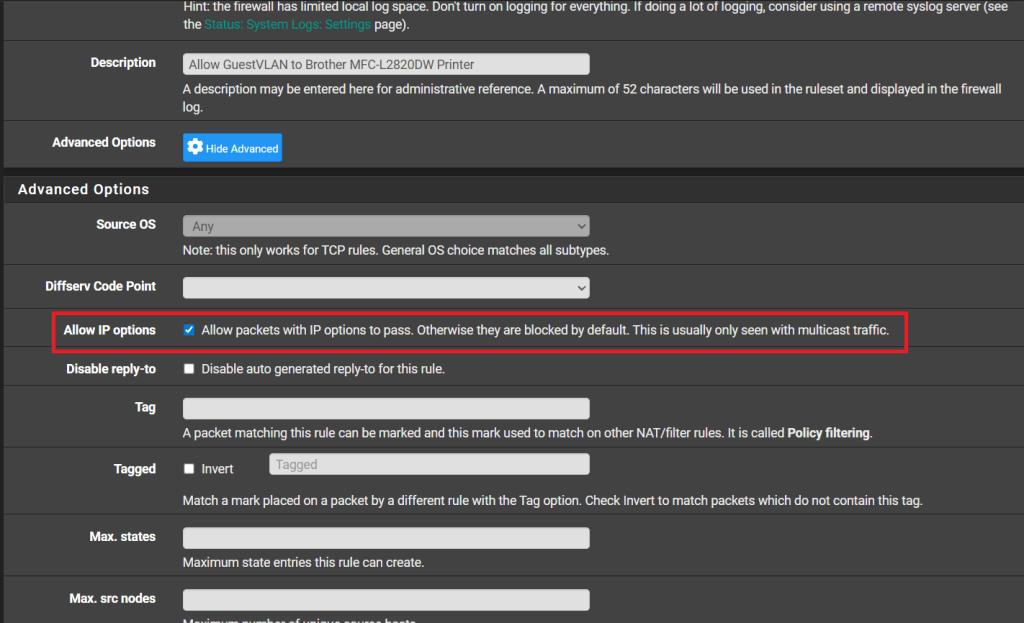
I created an allow rule on the GuestVLAN from the guest subnets to the printer:
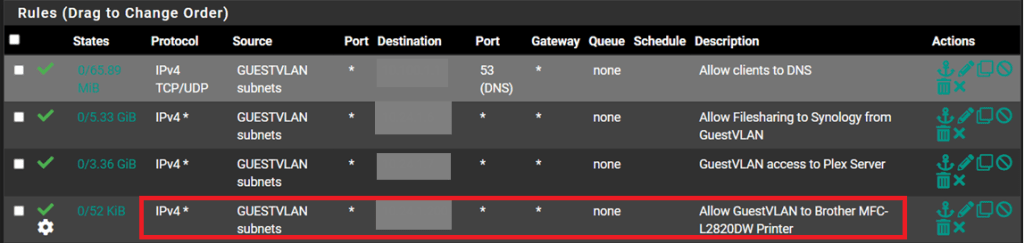
Now everything should have worked. Right? Yea no. So after some google-foo I stumbled upon a post that suggested the ARP table should be cleared as pfSense had an old ARP entry. I wasn’t sure how an ARP entry would not allow the multicast packets to traverse the VLANs but people smarter than me said it could. For lack of understating I just cleared the table. And of course that did not work.
After re-reading the instructions multiple times and multiple failed pings I stumbled across a detail from the reddit user NameUsedNoWhereElse from the first post I read.
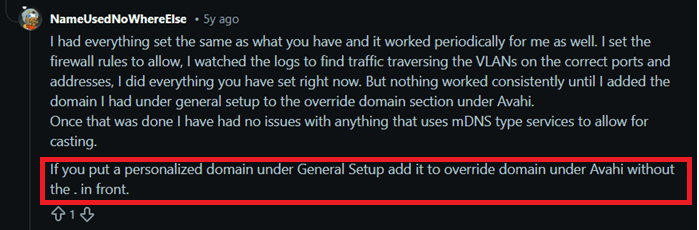
The key item here is the period in front of the domain name.
Removing the period from in front of the domain name in “Override Domain” in the Advanced section under the Avahi service page was the trick. Changing the override domain from “.arpa” to just “arpa” solved all my issues. It allowed me to ping the printer from my wireless device and the iOS app finally detected the printer and allowed me to print.
 Mountain Man Tech
Leave a comment