It was time to upgrade my computer. The laptop I have been using is on the limit of its capabilities when using Blender or FreeCAD. With PC component prices the way they are I have been slowly buying up parts second hand. Now with a machine that can do a bit of 3d modelling built, I ran into a logistical issue: The workspace, ie my office is in our kitchen, and due to old house electrical issues I was at the max amperage usage for the kitchen plugs. That meant no pc and monitor in the kitchen. I have a server closet, so I wanted to know if I could set the machine up in there plugged into a UPS with a dedicated circuit and work elsewhere. Now traditional Remote Desktop Protocol is not the best. VNC is only a little bit better. Running remote desktops on servers in a Windows environment always meant tradeoffs and low expectations in my working experience. Nevermind running graphical real time modeling software. A quick google search yielded a piece of software called Parsec. A week went by and I wanted to know if I could get a low latency remote desktop server/client going, could one game on it as well. So another google search later and some YouTube videos I came up with Sunshine and Moonlight, which from my understanding are community versions of Nvidia GameStream. More reading lead me to a fork of Sunshine called Apollo was a bit more refined and allowed for some quality of life upgrades that the original version of Sunshine did not have; mainly the native creation of Virtual Desktops without the use of a hardware dongle plugged into the host computer. This meant I could get it up and running without any additional expenditure of assets.
The Apollo project is hosted on github here. The specs to get it up and running are modest, and my Ryzen 5 5600g and GTX 1080 would be good enough for 4k if I so desired. The project requires 5ghz ac wifi, so my Ruckus APs should do the trick no problem.
Setup was easy, with an executable for Windows 11 being available for download. The setup was easy and after the install an app that launches a browser to the server running locally is placed in the Start menu.
A breakdown of all the options and what they do is also available on the github repository. Sufficed to say on the server I left everything alone for my first run through.
With the server setup, each client must have the program Moonlight installed. That project is available here. The Moonlight software is diverse, having installers for a variety of OS including Windows, Linux, and iOS/Android platforms. This means gaming on your mobile is possible. More on that later.
Getting moonlight installed was again no issue. Both of these projects are thankfully well done, with no hiccups or weird issues. They both feel like production quality pieces of software, so kudos to all the folks who are working on these projects. The moonlight screen starts with a client selection screen.


I allowed the ports from the client to the server on my PfSense box. I created a port alias in the Firewall section with all the ports required, then a rule on the subnet that the clients were operating on with the alias as the port rule.

After pairing the client to the server with a pin and a device description I was ready to go.

After which the device is added with a permissions screen to change the permissions. The first device paired has full permissions and the subsequent devices have minimal permissions. That means you will need to allow input permissions etc on your second and third devices to do anything other than look on the server.

After trying a couple of different times to enter the pin it worked and connected. I have no idea why it didn’t work the first time.
Getting to see the server running in another room on my iPhone was pretty slick. The system was setup for touchpad in the beginning, which meant trying to enter text into boxes or type wouldn’t work. Later I learned running the client with touchscreen mode on was the solution.

I setup Moonlight on my work laptop and happily logged into the server, installed Blender, FreeCAD and my other productivity softwares remotely. No lag, instantaneous feedback, it was as though I was right there in front of the machine. With all this accomplished in about an hour, I wanted to see what else it could do. Queue stream gaming.


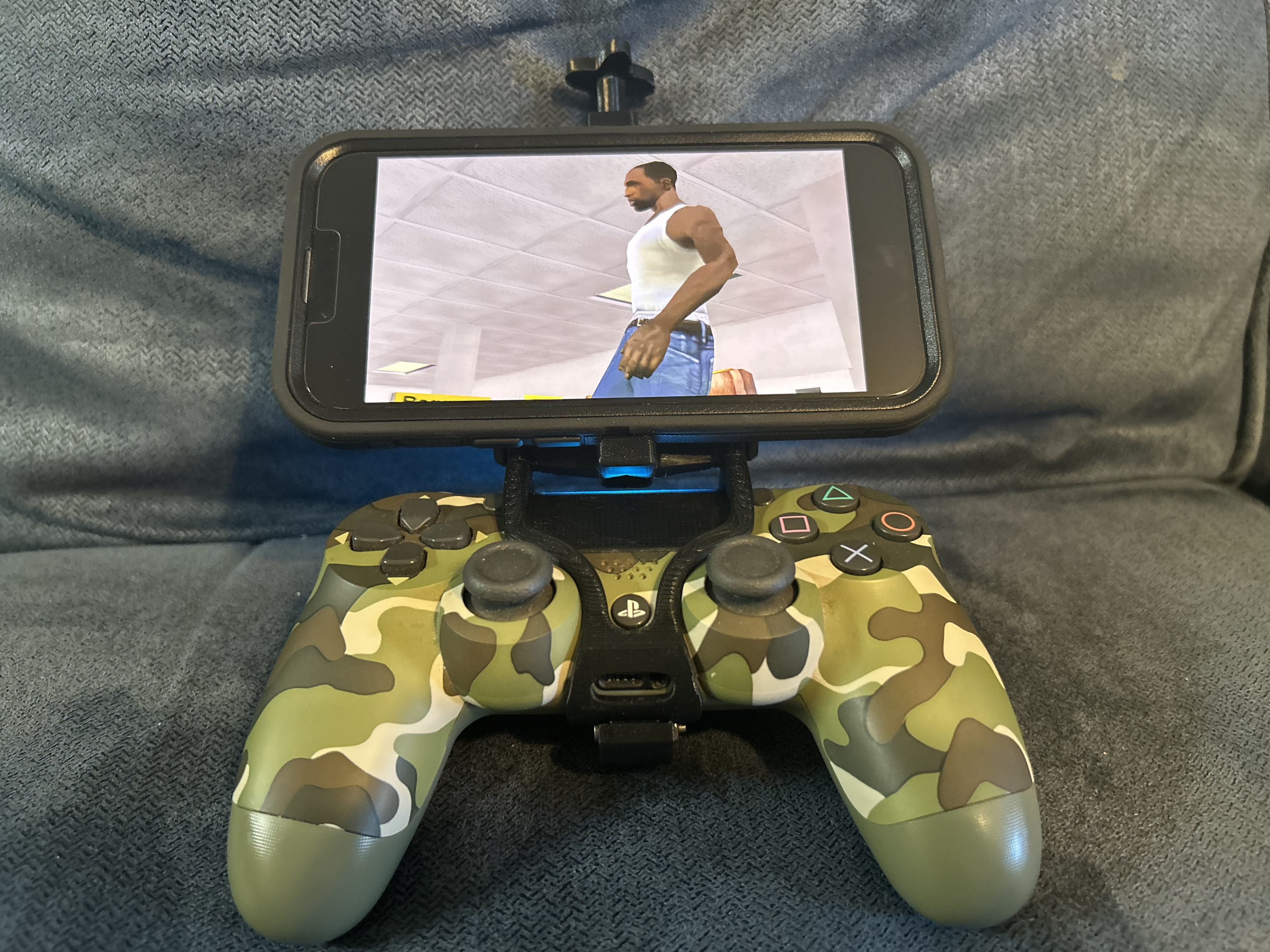
I got Steam installed on the host machine, and with some more research I decided to run it in Big Picture Mode. The setup was again flawless and I was quickly able to see Grand Theft Auto: San Andreas on my iPhone. I paired an old PS4 controller and 3d printed a phone mount for the controller. A link to the 3d printed phone holder is here.

I changed the input type in the Apollo server input menu to DS4 and tried to use the controller to get through the game.

No input on the game. I ran through some troubleshooting thinking I had missed a config, however the software is straight forward with all settings clearly labeled. I had the moonlight/apollo system running fine, steam ran through another machine with keyboard and mouse inputs just fine. Just no controller input on the iPhone. Some Reddit users reported issues on their AppleTVs, but not on the iPhone. I must have done something wrong. AI reported there could be iPhone Bluetooth glitches, so I reset the Bluetooth connection on the phone and the controller, no dice. More reading and more review of the client settings revealed nothing. I went back and made sure that Steam controller support was enabled in Steam settings.

Still nothing. Then I stumbled upon a post on Reddit here saying Sunshine/Apollo needed to be run as administrator. I had setup my gaming user on the host PC as a standard user for security reasons. I changed the gaming user to an administrator, still no dice. I thought I had it.
Another run through the setting on the clients and the server, only to find and error on the server: The vigembus drivers were not installed which are required for the Apollo server to emulate the controller. Now most of the Reddit and install instructions stated the gamepad driver was installed automatically with the Apollo installer, however for whatever reason mine had an error. I downloaded the vigembus gamepad drivers from here, reinstalled them, and booted up GTA:SA on the iphone and voila! I was playing a Steam game on an iPhone in another room with a PS4 controller, pretty sweet!

I am thoroughly impressed by this software package. The next thing to try is getting encryption running just because its good practice. My network is segmented with VLANs, however its best to use encryption on an remote desktop session for obvious reasons.
Leave a Reply